
How to Choose a Mobile Phone Based on Camera Features: Your Complete Guide to Smartphone Photography
In today’s digital world, choosing a smartphone often comes down to one crucial factor: the camera. Whether you’re capturing precious family moments, building your social media presence, or pursuing photography as a hobby, your phone’s camera capabilities can make or break your experience. With manufacturers constantly pushing the boundaries of mobile photography, understanding camera features has become essential for making an informed purchase decision.
Gone are the days when phone cameras were merely an afterthought. Today’s smartphones rival dedicated cameras in many scenarios, offering convenience without compromising quality. But with technical jargon like “computational photography,” “periscope zoom,” and “pixel binning” floating around, how do you cut through the marketing speak to find what really matters?
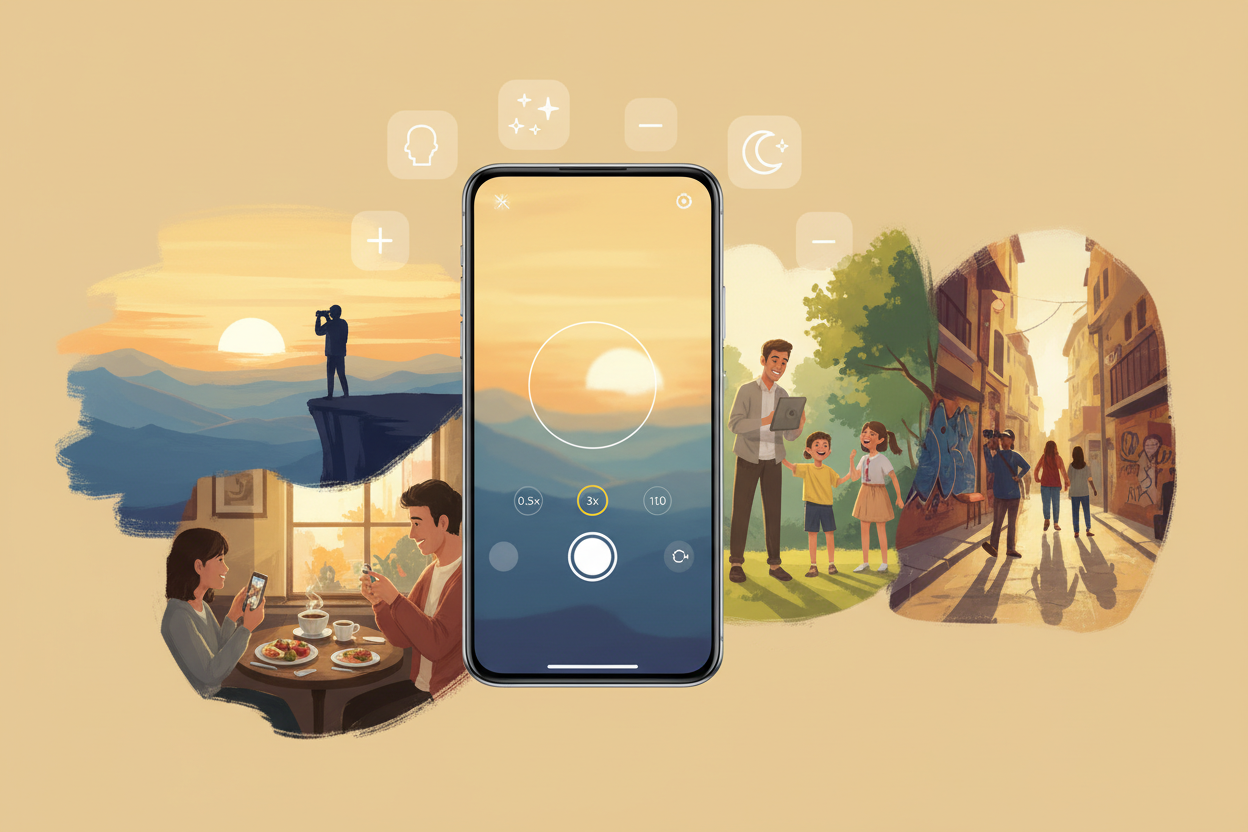
This comprehensive guide will walk you through everything you need to know about smartphone camera features, helping you choose a device that perfectly matches your photography needs and budget.
Understanding Basic Camera Specifications
Before diving into advanced features, let’s establish a foundation by understanding the fundamental camera specifications that manufacturers love to highlight in their marketing materials.
Megapixels often steal the spotlight, but they’re not the whole story. While a higher megapixel count can provide more detail for cropping and large prints, it doesn’t automatically guarantee better photos. A 12-megapixel camera with excellent optics and image processing can easily outperform a 108-megapixel camera with inferior components. Think of megapixels as the canvas size – important, but meaningless without skilled artistry behind it.
Aperture size, denoted by f-numbers like f/1.8 or f/2.4, determines how much light enters the camera sensor. Lower f-numbers mean wider apertures, allowing more light and creating that beautiful background blur (bokeh) effect. For smartphone photography, look for main cameras with apertures between f/1.4 and f/2.0 for optimal low-light performance.
Sensor size plays a crucial role in image quality, though manufacturers rarely advertise this specification prominently. Larger sensors capture more light and detail, resulting in better dynamic range and noise performance. While you might not find exact sensor dimensions in marketing materials, premium flagship phones typically feature larger sensors than budget alternatives.
Evaluating Low-Light Photography Performance
Low-light photography separates exceptional smartphone cameras from mediocre ones. Whether you’re capturing dinner at a dimly lit restaurant or taking photos during golden hour, your phone’s low-light capabilities will significantly impact your photography experience.
Night mode has become a standard feature across most modern smartphones, but implementation varies dramatically between manufacturers. Google’s Night Sight, Apple’s Night mode, and Samsung’s Night mode all use computational photography to combine multiple exposures, reducing noise while maintaining detail. When evaluating phones, look for devices that produce clean, well-exposed night shots without excessive processing artifacts.
Optical image stabilization (OIS) becomes particularly important in low-light conditions. This hardware feature physically moves the camera sensor or lens elements to counteract hand shake, allowing for longer exposure times without blur. While electronic image stabilization (EIS) can help with video recording, OIS provides superior benefits for still photography in challenging lighting conditions.
Pay attention to how different phones handle noise reduction in their low-light processing. Some manufacturers over-process images, creating an artificial, plastic-like appearance. The best smartphone cameras strike a balance, preserving natural textures while minimizing noise.
Zoom Capabilities: Optical vs Digital vs Hybrid
Zoom functionality has evolved significantly in recent years, with manufacturers implementing various approaches to bring distant subjects closer without sacrificing image quality.
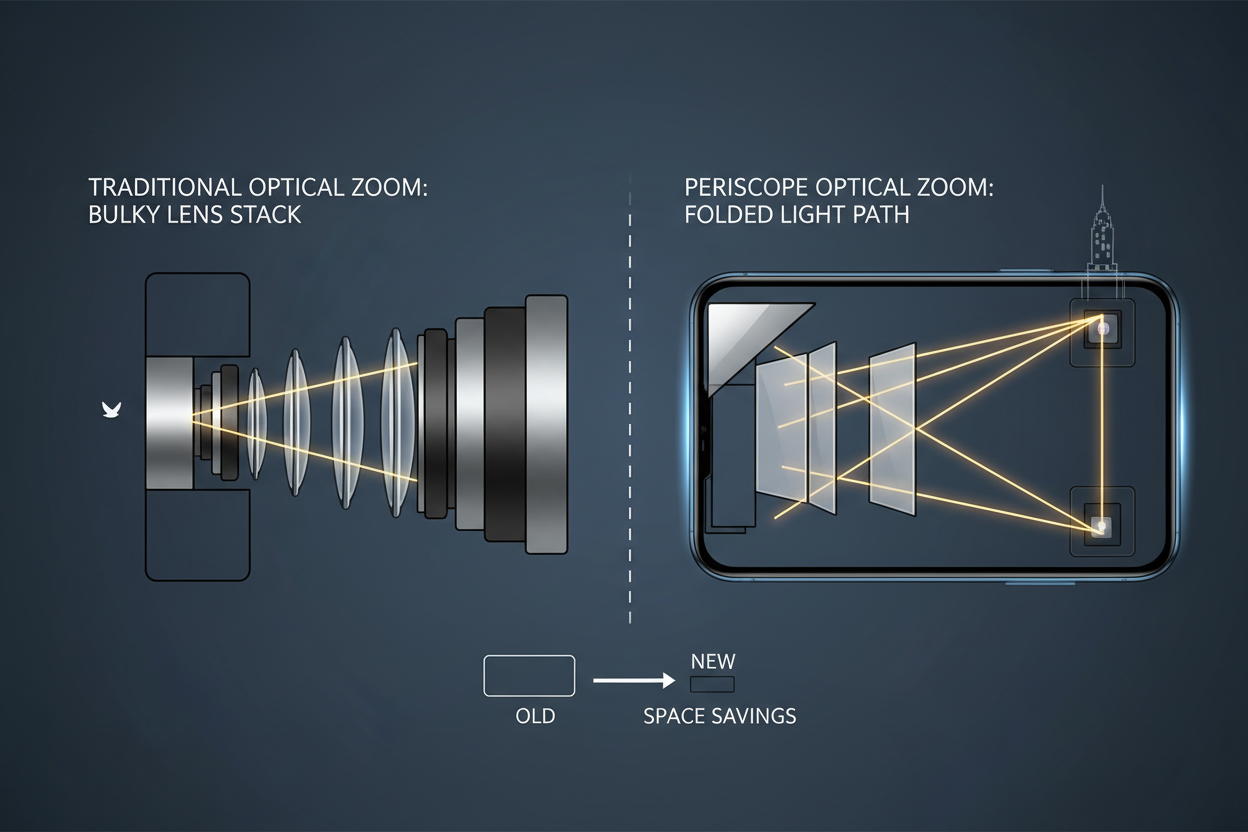
Optical zoom remains the gold standard, using physical lens movement to magnify subjects without any quality loss. Traditional optical zoom requires significant space within the phone’s body, leading to the development of periscope zoom systems. These ingenious designs use mirrors to fold the light path, enabling impressive zoom ranges in slim smartphone bodies. Phones like the Samsung Galaxy S23 Ultra offer up to 10x optical zoom, rivaling dedicated telephoto cameras.
Digital zoom, while convenient, simply crops and enlarges the image, resulting in quality degradation. However, modern smartphones use sophisticated algorithms to minimize this quality loss. When a phone advertises “30x zoom” or “100x zoom,” these extreme ranges typically rely heavily on digital processing.
Hybrid zoom combines optical and digital techniques, using computational photography to enhance results beyond the optical zoom limit. This approach can produce surprisingly good results at moderate zoom levels, though quality inevitably decreases as you push toward maximum zoom ranges.
Consider your typical shooting scenarios when evaluating zoom capabilities. If you frequently photograph sports, wildlife, or distant subjects, prioritize phones with strong optical zoom. For casual users who occasionally need to zoom in on text or distant signs, moderate hybrid zoom capabilities might suffice.
Video Recording Features and Capabilities
Video recording has become increasingly important for smartphone users, driven by social media platforms and the growing popularity of content creation. Modern smartphones offer impressive video capabilities that were unimaginable just a few years ago.
Resolution options typically range from 1080p to 4K, with some flagship phones supporting 8K recording. While 4K provides excellent detail and future-proofing, it also consumes significant storage space and battery life. Consider your typical usage patterns – if you primarily share videos on social media, 1080p might be perfectly adequate, while content creators might benefit from 4K capabilities.
Frame rate options add creative flexibility to your video recording. Standard 30fps works well for most scenarios, while 60fps provides smoother motion for action sequences. High frame rate modes like 120fps or 240fps enable slow-motion effects, popular for creative social media content.
Video stabilization has become crucial for handheld recording. Look for phones offering multiple stabilization modes, including standard stabilization for walking shots and more aggressive stabilization for running or cycling. Some phones feature dedicated “action” modes optimized for high-movement scenarios.
Audio recording quality often gets overlooked but significantly impacts video quality. Phones with multiple microphones and wind noise reduction provide much better audio than basic single-microphone setups.
Portrait Mode and Computational Photography
Portrait mode has revolutionized smartphone photography, enabling users to achieve professional-looking depth-of-field effects without expensive camera equipment. However, the quality of portrait mode implementation varies significantly between manufacturers and price points.
The best portrait modes use multiple cameras or advanced sensors to accurately map depth information, creating natural-looking background blur while maintaining sharp subject edges. Pay attention to how different phones handle challenging scenarios like hair detail, glasses, and complex backgrounds. Some phones struggle with edge detection, creating obvious artifacts around subjects.
Computational photography encompasses various AI-powered features that enhance image quality beyond what traditional optics alone could achieve. These features include HDR processing, scene recognition, and automatic adjustments for different shooting conditions. While marketing materials often oversell these capabilities, well-implemented computational photography can significantly improve your photos with minimal effort.
Look for phones that offer manual control over portrait effects, allowing you to adjust blur intensity and even change the blur style. This flexibility ensures your photos match your creative vision rather than being locked into the manufacturer’s interpretation.
Front-Facing Camera Considerations
The front-facing camera deserves careful consideration, especially if you frequently take selfies or participate in video calls. While rear cameras typically receive more attention in reviews and marketing, a poor front camera can significantly impact your daily smartphone experience.
Resolution and image quality matter for selfies, but don’t get caught up in megapixel counts alone. Look for front cameras with wide enough fields of view to capture group selfies comfortably. Some phones offer ultra-wide front cameras specifically for this purpose.
Portrait mode on front cameras has become increasingly sophisticated, with some phones offering multiple lighting effects and real-time beauty filters. While these features can be fun, ensure the phone also produces natural-looking selfies when these effects are disabled.
Video calling quality depends heavily on the front camera’s low-light performance and image processing. With remote work becoming more common, a front camera that performs well in various lighting conditions can be invaluable for professional video calls.
Camera App Interface and Manual Controls
Even the best camera hardware can be hampered by a poorly designed camera app. The interface should be intuitive, responsive, and provide easy access to frequently used features. Look for apps that allow quick switching between different camera modes and lenses without fumbling through multiple menus.
Manual controls appeal to photography enthusiasts who want creative control over their images. Features like manual focus, ISO adjustment, shutter speed control, and white balance settings allow for more artistic expression. However, these controls should be optional – the camera should still produce excellent results in full automatic mode for casual users.
Pro modes vary significantly between manufacturers. Some offer comprehensive manual controls rivaling dedicated cameras, while others provide basic adjustments with limited functionality. Consider your photography knowledge and interests when evaluating these features.
Third-party camera apps can sometimes unlock additional functionality or provide better interfaces than stock camera apps. However, they may not have access to all camera features, particularly computational photography functions that require deep system integration.
Budget Considerations and Value Propositions
Camera quality doesn’t always correlate directly with price, though flagship phones typically offer the most advanced features and best overall performance. Understanding where to find the best value requires looking beyond marketing claims to real-world performance.
Mid-range phones have significantly improved their camera capabilities in recent years, often offering 80% of flagship performance at 50% of the price. These devices might lack cutting-edge features like periscope zoom or the latest computational photography algorithms, but they can still produce excellent results for most users.
Consider which features you’ll actually use regularly. If you rarely zoom beyond 2x or take photos in extremely challenging lighting conditions, you might not need the most expensive flagship phone. Conversely, if photography is a serious hobby or professional requirement, the additional investment in premium camera features might be worthwhile.
Previous-generation flagship phones often provide excellent value, offering advanced camera features at reduced prices. These devices typically receive software updates that continue improving camera performance even after newer models launch.
Making Your Final Decision
Choosing a smartphone based on camera features ultimately comes down to understanding your specific needs and priorities. Start by honestly assessing how you currently use your phone’s camera and what improvements would most benefit your photography experience.
Create a list of must-have features versus nice-to-have features. This approach helps focus your search and prevents getting swayed by impressive but ultimately unnecessary specifications. Remember that the best camera is the one you’ll actually use – a slightly inferior camera that’s always in your pocket beats a superior camera that’s too complicated or inconvenient to use regularly.
Read reviews from multiple sources, paying particular attention to sample photos taken in conditions similar to your typical usage scenarios. Professional reviews provide valuable technical insights, but user reviews and social media posts can offer real-world perspectives on long-term camera performance.
If possible, try before you buy. Many retailers allow hands-on testing of display models, giving you a chance to evaluate the camera interface and take sample photos. This direct experience often reveals preferences that specifications alone can’t convey.
Consider the broader ecosystem and software support. A phone with excellent hardware but poor software support might not age well, while a device with good hardware and strong software development might continue improving over time through updates.
Your smartphone camera will likely be your primary photography tool for the next several years. Taking time to thoroughly evaluate camera features ensures you’ll be satisfied with your choice long after the initial excitement of a new device wears off. Whether you’re capturing everyday moments or pursuing serious photography, the right smartphone camera can open up new creative possibilities while providing the convenience that only a device in your pocket can offer.